 COME
COMERead the language indicator in COME Customer Center
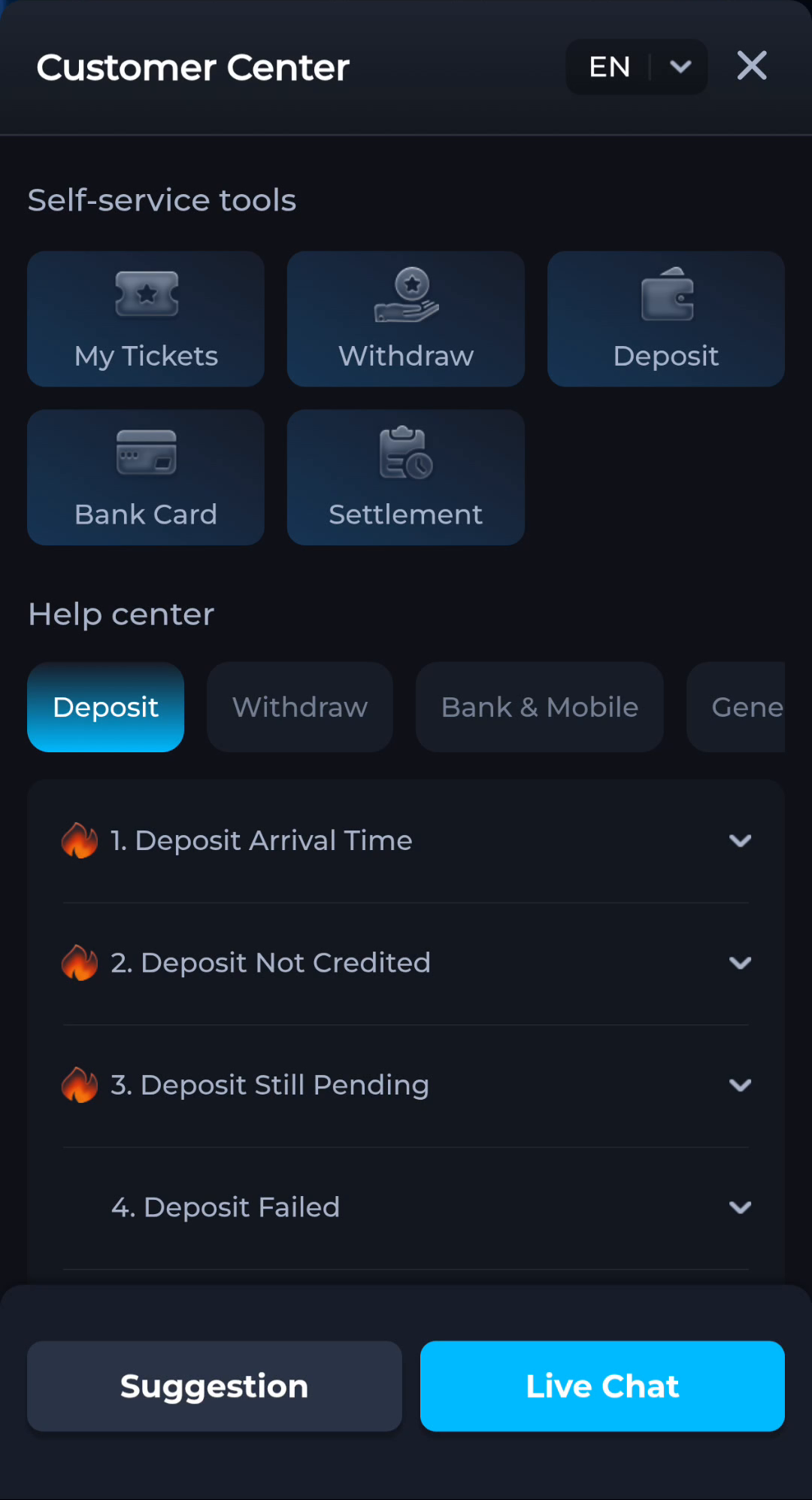
The language selector in Customer Center identifies the help interface language. It does not itself change a transaction status, VIP level or Android release.
Locate the help-language control
Customer Center shows an EN selector near its title. Settings also has a Language entry. Read the currently visible control and confirm the resulting text; do not assume every surface changes identically without checking.
Keep your support description consistent
Use the exact label and error from the screen you are describing. If you translate the explanation, retain important status words and reference details. Changing interface language should not be treated as a way to alter account outcomes.
Before moving to another task
Keep the current screen and the action you just took in mind. A menu label helps you locate information, but account changes, download completion and support decisions each need their own result. If the interface differs, match the actual label and context rather than following a memorised screen position. For a personal service question, stay with the recognised in-app help route and keep private access details out of public posts.
A practical example
You switch help language to understand a pending-status explanation. The explanation can become easier to read, but the underlying transaction remains governed by its actual record.
What a completed answer looks like
The help text is understandable and the recorded account or installation state remains distinct from the chosen language.
Choose another specific COME guide